Mavim Product Update 11.0
What's new and improved?
In the release of Mavim version 11.0, which takes place on Friday, April 3, we introduce performance improvements,
extensions within Process Mining and optimizations in authentication and modeling.
Below are the most important highlights.
Work Faster, Collaborate Better, Approve Smarter
This release introduces powerful new capabilities in Mavim iMprove, designed to help you work faster, collaborate more effectively, and manage approvals with better context.

Relationships in Approval Flows
Relationships can now be included as part of the approval flow. This makes it possible to add relationship information directly within an approval, giving approvers a more complete picture of the changes being proposed.
How it works:
- When a topic has been configured for approval, users can add, change, or remove up to 3 relationships as part of that approval
- Each relationship must be saved before requesting approval
- Once the topic is submitted for approval, approvers can clearly see which relationships were added, changed, or deleted
Why this matters:
Approvals now take the broader context of your content into account, going beyond just fields and descriptions to include the connections between topics.
Create Topics Faster from the Toolbar
A new button has been added to the toolbar that allows users to create a topic on the same level more quickly. This streamlines the topic creation process without needing to navigate through the tree structure.
Key improvements:
- New toolbar button for creating sibling topics instantly
- Topic type and icon are automatically pre-filled when creating a new topic
- Users retain full flexibility to change the topic type and icon if needed
- Creating child topics remains available through the tree structure
Why this matters:
Fewer clicks and faster structuring during daily modeling work, helping you build out your content more efficiently.
Discussions Replace Feedback
The previous Feedback feature has been replaced by a new Discussion feature for topics in the yellow cabinet. Discussions are designed to support real-time collaboration directly on topics.
Key features:
- Comment directly on topics within the yellow cabinet
- Use @mentions to notify colleagues and bring them into the conversation
- Mentioned users receive an email notification about the comment
Why this matters:
Collaboration stays close to the content, conversations are easier to follow, and team members are notified when their input is needed.
New Data Languages: German and Spanish
Mavim iMprove now supports German and Spanish as data languages. Users can select their preferred data language in their personal settings, providing more flexibility in how they work with their content.
Key features:
- Content can be viewed and maintained in German or Spanish as a data language, provided the content is available in that language in Mavim Manager
- Users can switch their preferred data language via personal settings
- Switching languages does not affect the underlying model or structure
- Supports collaboration in shared, multilingual environments
Why this matters:
Better support for international teams working in shared models, allowing users to interact with content in their preferred language.
ConversAI: Prompt Configuration Editor (Preview)
A prompt configuration editor for ConversAI is now available as a preview feature. This new capability allows organizations to customize the prompt so that ConversAI responses align better with their specific business content and context.
Key features:
- Configure how ConversAI interprets and responds to user questions
- Align AI responses with organizational terminology and processes
- Improve relevance of AI output by providing additional business context
- Available as a preview, with further refinements expected based on customer feedback
Why this matters:
AI responses can be tailored to match organizational terminology, processes, and needs. As this is a preview feature, Mavim encourages customers to try it and share their feedback.
ConversAI: Example Questions
It is now possible to configure example questions for ConversAI. These questions are displayed to users when they start ConversAI, making it easier to get started with the AI assistant.
How it works:
- Administrators can configure example questions in the ConversAI settings
- Users see these example questions when opening ConversAI
- Clicking the question text copies it into the chat input, allowing users to modify it before submitting
- Clicking the arrow sends the question immediately to ConversAI
Why this matters:
Users get started faster and understand how to interact with ConversAI effectively from the first use.
Search Fieldsets During Bulk Field Updates
A search function has been added for fieldsets when editing fields in bulk for multiple topics. This makes it easier to find the relevant common fieldsets when performing bulk updates across child topics.
How it works:
- Access the feature from the tree by choosing "Edit fields"
- Select a parent topic to update all fields in child topics
- Use the search function to quickly find applicable fieldsets
- Expand parent topics to see all fields at a glance
- Update and save fields in bulk
Why this matters:
Bulk updates are now faster and more intuitive, especially when working with large topic structures.
SharePoint List Import and Export Upgrade
The SharePoint List Import and Export functionality has been upgraded to use an App Registration, improving security and reliability of the integration.

Bug Fixes
This release includes several important fixes:
-
Mavim Manager: Fixed an issue where importing a version caused an exception ("Cannot insert duplicate key in object..."). Also resolved a scenario where the description pane could not be selected or filled after clicking a shape in Visio.
-
Mavim iMprove: Fixed several issues related to chart navigation, making it work more reliably. Also resolved issues in the approval flow, including problems with approval dashboards and updating descriptions for the Dutch data language.
-
Visual Modeling & Visio: Fixed an issue where Generic charts based on a Visio solution were occasionally saved under another topic. Resolved an issue preventing cut and paste of BPMN catalog topics in the tree. Fixed an issue where the multi-instance marker was not updated correctly when another participant was assigned to a pool.
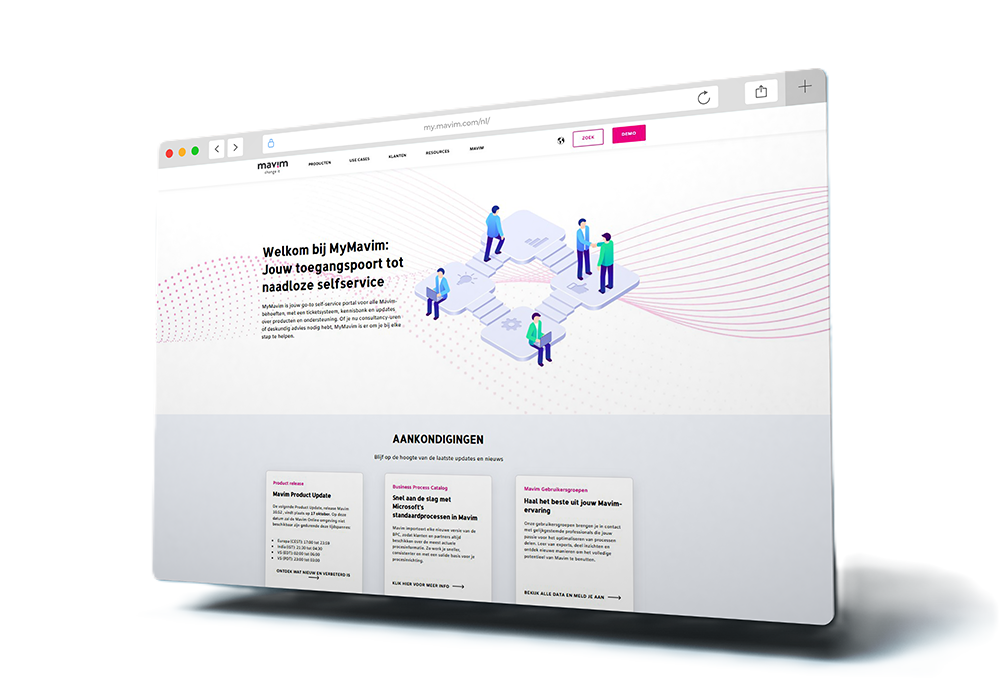
Your platform for support, product updates and account information
Are you curious when the next release will take place? Do you want to know what new and improved features the most recent product update contains? Or do you need support and want to create a ticket? My Mavim is the section where you can access all kinds of product information, support resources, product updates and account information.